
YD Diagnostics URiSCAN Optima
ConnectivityWise puts every URiSCAN Optima result in your EHR the moment the run finishes and tells your staff it's ready. One simple price per location covers it, along with every other instrument you run.
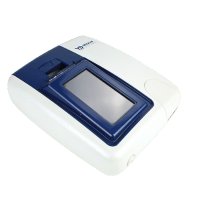
Tests the URiSCAN Optima runs
We'll confirm which of these your URiSCAN Optima is configured to run during implementation.
About the URiSCAN Optima Urine Analyzer
The URiSCAN Optima is a semi-automatic urinalysis instrument that reads URiSCAN reagent strips with a reflectance photometer built around a CCD color image sensor and LED light source. It works with URiSCAN strips of 4 to 11 parameters, spanning blood, bilirubin, urobilinogen, ketones, protein, nitrite, glucose, pH, specific gravity, leukocytes, ascorbic acid, microalbumin and creatinine, and it also reads urine color and clarity and calculates the microalbumin-to-creatinine ratio on the ACR strips. A measurement cycle takes 100 seconds in routine mode or 6 seconds in quick mode. The instrument is run from a 4.3-inch touch screen, stores 2,000 patient results, prints to a high-speed thermal printer, and connects over RS232C and two USB ports, with an optional barcode reader.
Why practices connect the URiSCAN Optima
A strip reader in quick mode can outrun the person entering results long before the clinic day is over. Sending the URiSCAN Optima's results to the chart automatically keeps the record in step with the bench: the values land when the strip is read, staff are notified, and nothing depends on a printout being carried across the room.
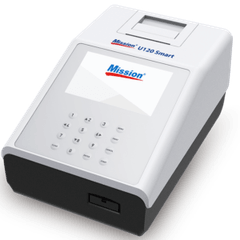
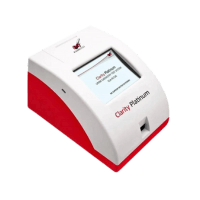
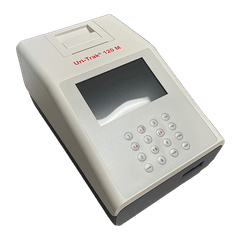
Send URiSCAN Optima results to your EHR
Results from the URiSCAN Optima file into whichever EHR you run, matched to the order where you use one. We connect to any EHR or EMR that accepts results.
URiSCAN Optima connectivity questions
Can the URiSCAN Optima connect to my EHR?
Yes. ConnectivityWise interfaces the YD Diagnostics URiSCAN Optima and posts its results into your EHR automatically, matched to the order where you use one, or filed directly where you don't. Nobody retypes a value.
Which EHRs can the URiSCAN Optima send results to?
Any EHR or EMR that accepts results, including Epic, athenahealth, eClinicalWorks, NextGen, Oracle Health, Greenway, and PointClickCare. Automatic result upload works with any order and results workflow.
Does quality control from the URiSCAN Optima get captured?
ConnectivityWise captures quality control results alongside patient results, so your CLIA records are complete when an inspector asks. What a given instrument reports varies by device, so we confirm exactly what your URiSCAN Optima emits during implementation.
What does it take to connect a URiSCAN Optima?
The Data Sync Agent, one small install on any Windows computer in your organization, collects results from the instrument and syncs them securely to the ConnectivityWise cloud. A single installation covers every instrument and location you have, and a named human guides the setup and validation end to end.