
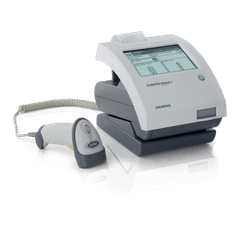
Siemens Healthineers CLINITEK Status Connect System
ConnectivityWise puts every CLINITEK Status Connect System result in your EHR the moment the run finishes and tells your staff it's ready. One simple price per location covers it, along with every other instrument you run.
Tests the CLINITEK Status Connect System runs
We'll confirm which of these your CLINITEK Status Connect System is configured to run during implementation.
About the CLINITEK Status Connect System
The CLINITEK Status Connect System is the CLINITEK Status+ Analyzer paired with a connectivity module, so it runs the same Siemens urine test strips and CLINITEST hCG cassettes and reports the same routine urinalysis parameters, albumin-to-creatinine and protein-to-creatinine ratios, and urine hCG. What the Connect System adds is data handling: bar-code scanning of operator and patient IDs to cut transcription errors, operator lockout, and result transmission over wireless, Ethernet, or serial connections. Siemens states it supports HL7 and POCT1-A2 and works with data management platforms including RAPIDComm and POCcelerator. Auto-Checks technology still verifies strip identity and flags humidity-exposed strips on every run. Learn more about the instrument at the manufacturer's product page.
Why practices connect the CLINITEK Status Connect System
The Connect System exists because urinalysis results belong in the chart, not on a slip of paper. Getting them there automatically removes the retyping step entirely, so results land in the patient's record the moment the strip is read and staff are notified. Nothing is transcribed, and nothing is left behind on the instrument.
Send CLINITEK Status Connect System results to your EHR
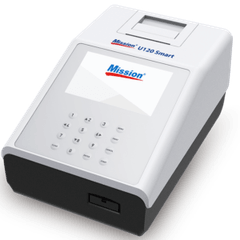
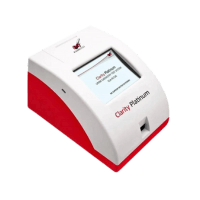
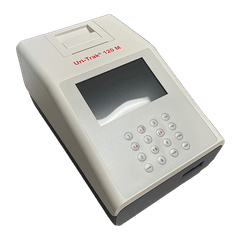
Results from the CLINITEK Status Connect System file into whichever EHR you run, matched to the order where you use one. We connect to any EHR or EMR that accepts results.
CLINITEK Status Connect System connectivity questions
Can the CLINITEK Status Connect System connect to my EHR?
Yes. ConnectivityWise interfaces the Siemens Healthineers CLINITEK Status Connect System and posts its results into your EHR automatically, matched to the order where you use one, or filed directly where you don't. Nobody retypes a value.
Which EHRs can the CLINITEK Status Connect System send results to?
Any EHR or EMR that accepts results, including Epic, athenahealth, eClinicalWorks, NextGen, Oracle Health, Greenway, and PointClickCare. Automatic result upload works with any order and results workflow.
Does quality control from the CLINITEK Status Connect System get captured?
ConnectivityWise captures quality control results alongside patient results, so your CLIA records are complete when an inspector asks. What a given instrument reports varies by device, so we confirm exactly what your CLINITEK Status Connect System emits during implementation.
What does it take to connect a CLINITEK Status Connect System?
The Data Sync Agent, one small install on any Windows computer in your organization, collects results from the instrument and syncs them securely to the ConnectivityWise cloud. A single installation covers every instrument and location you have, and a named human guides the setup and validation end to end.