
McKesson LUMEON EasyOne Air
Also known as ndd EasyOne Air, McKesson Easy One Air.
ConnectivityWise puts every LUMEON EasyOne Air result in your EHR the moment the run finishes and tells your staff it's ready. One simple price per location covers it, along with every other instrument you run.
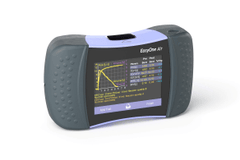
Tests the LUMEON EasyOne Air runs
We'll confirm which of these your LUMEON EasyOne Air is configured to run during implementation.
About the McKesson LUMEON Easy One Air Spirometer System
The LUMEON EasyOne Air is McKesson's private-label version of the ndd EasyOne Air: a portable handheld spirometer with a touchscreen that can also be used as a PC spirometer. It measures airflow with ndd's TrueFlow ultrasound technology, which requires no calibration, and reports the standard forced-spirometry parameters (FVC, FEV1, FEV1/FVC, PEF and the FEF flows). The system ships with a cradle, flow tubes, battery, USB Bluetooth adapter and nose clip, uses disposable Spirette mouthpieces, and runs roughly 400 tests per charge with direct printing and PC connection. Learn more about the instrument at the manufacturer's product page.
Why practices connect the LUMEON EasyOne Air
Spirometry results belong in the chart, not in a printout tray. Connecting the LUMEON EasyOne Air puts FEV1, FVC and the full maneuver into the patient record as soon as the test is accepted: nobody retypes numbers off the touchscreen, nothing gets scanned in later, and staff are notified when the result arrives.
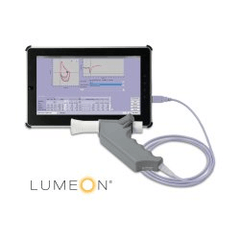
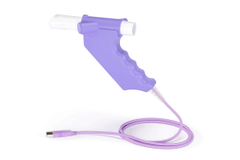
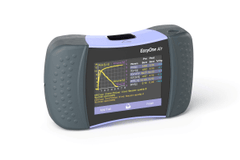
Send LUMEON EasyOne Air results to your EHR
Results from the LUMEON EasyOne Air file into whichever EHR you run, matched to the order where you use one. We connect to any EHR or EMR that accepts results.
LUMEON EasyOne Air connectivity questions
Can the LUMEON EasyOne Air connect to my EHR?
Yes. ConnectivityWise interfaces the McKesson LUMEON EasyOne Air and posts its results into your EHR automatically, matched to the order where you use one, or filed directly where you don't. Nobody retypes a value.
Which EHRs can the LUMEON EasyOne Air send results to?
Any EHR or EMR that accepts results, including Epic, athenahealth, eClinicalWorks, NextGen, Oracle Health, Greenway, and PointClickCare. Automatic result upload works with any order and results workflow.
Does quality control from the LUMEON EasyOne Air get captured?
ConnectivityWise captures quality control results alongside patient results, so your CLIA records are complete when an inspector asks. What a given instrument reports varies by device, so we confirm exactly what your LUMEON EasyOne Air emits during implementation.
What does it take to connect a LUMEON EasyOne Air?
The Data Sync Agent, one small install on any Windows computer in your organization, collects results from the instrument and syncs them securely to the ConnectivityWise cloud. A single installation covers every instrument and location you have, and a named human guides the setup and validation end to end.