
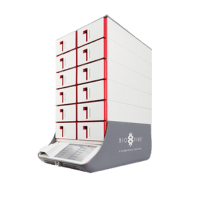
BioFire Torch
Also known as bioMérieux FilmArray Torch.
ConnectivityWise puts every Torch result in your EHR the moment the run finishes and tells your staff it's ready. One simple price per location covers it, along with every other instrument you run.
Tests the Torch runs
We'll confirm which of these your Torch is configured to run during implementation.
About the BIOFIRE FILMARRAY TORCH System
The BIOFIRE FILMARRAY TORCH System is a scalable, sample-to-answer multiplex PCR platform for syndromic infectious disease testing. It runs six BIOFIRE FILMARRAY panels covering respiratory, gastrointestinal, bloodstream, central nervous system, and joint infections, extracting and purifying nucleic acids from an unprocessed sample and running nested multiplex PCR in a closed pouch. Results take about an hour with roughly two minutes of hands-on time per sample, and modules stack to deliver up to six times the throughput per square foot of bench space compared with the prior generation. Learn more about the instrument at the manufacturer's product page.
Why practices connect the Torch
A FilmArray panel can identify dozens of targets in a single run, and hand-copying that many results into the chart is where errors creep in. Connecting the Torch means the full panel report lands in the patient record automatically when the run completes and the ordering clinician is notified. No transcription, no waiting for someone to walk a printout down the hall.
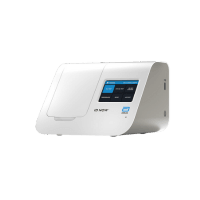
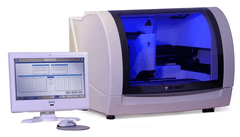
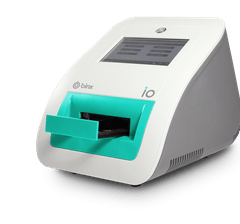
Send Torch results to your EHR
Results from the Torch file into whichever EHR you run, matched to the order where you use one. We connect to any EHR or EMR that accepts results.
Torch connectivity questions
Can the Torch connect to my EHR?
Yes. ConnectivityWise interfaces the BioFire Torch and posts its results into your EHR automatically, matched to the order where you use one, or filed directly where you don't. Nobody retypes a value.
Which EHRs can the Torch send results to?
Any EHR or EMR that accepts results, including Epic, athenahealth, eClinicalWorks, NextGen, Oracle Health, Greenway, and PointClickCare. Automatic result upload works with any order and results workflow.
Does quality control from the Torch get captured?
ConnectivityWise captures quality control results alongside patient results, so your CLIA records are complete when an inspector asks. What a given instrument reports varies by device, so we confirm exactly what your Torch emits during implementation.
What does it take to connect a Torch?
The Data Sync Agent, one small install on any Windows computer in your organization, collects results from the instrument and syncs them securely to the ConnectivityWise cloud. A single installation covers every instrument and location you have, and a named human guides the setup and validation end to end.